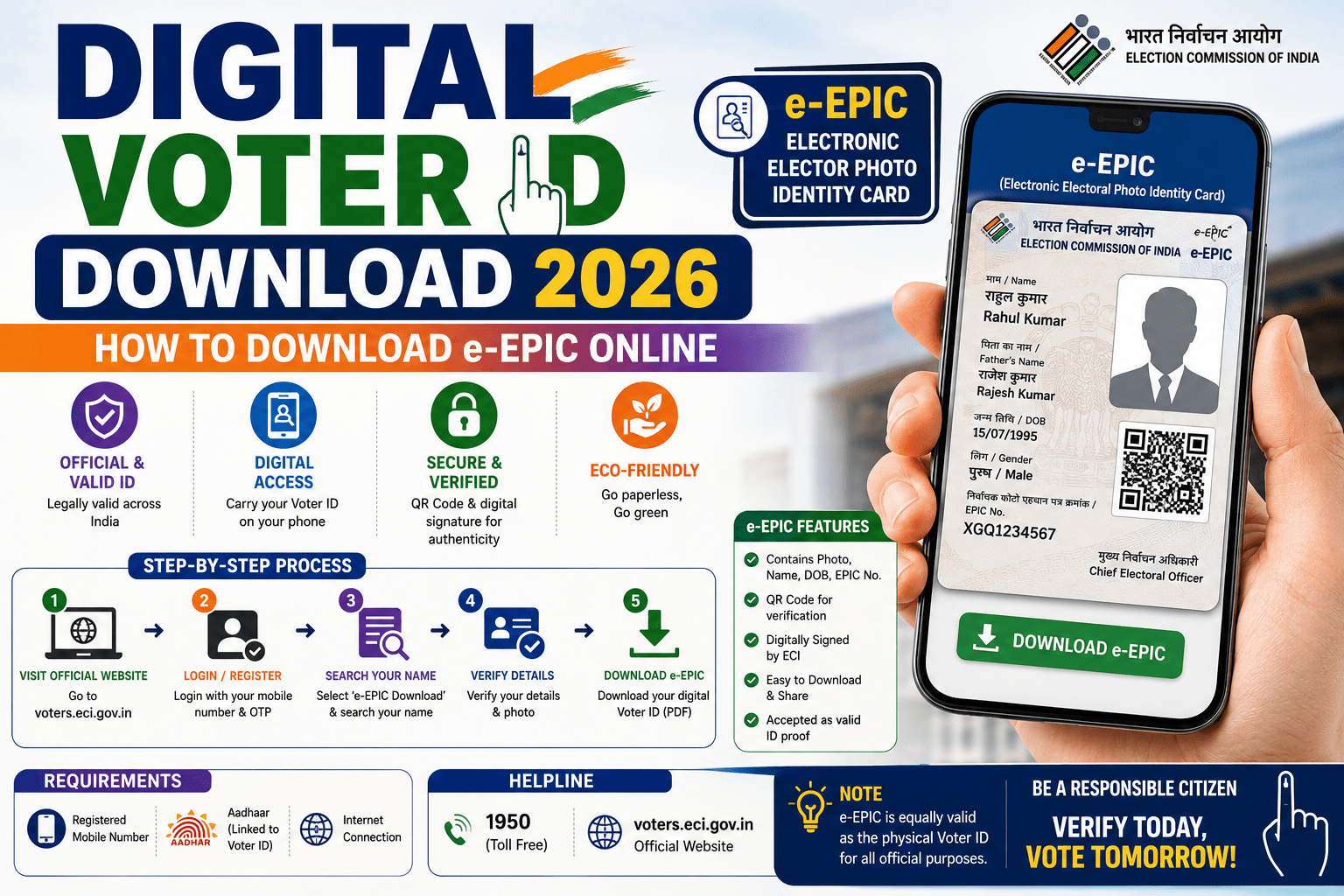
The Digital Voter ID, also known as the Electronic Electoral Photo Identity Card (e-EPIC), is a secure digital version of your physical Voter ID card issued by the Election Commission of India (ECI). It is available in PDF format and can be downloaded online through the official ECI Citizen Service Portal or the ECINET mobile app.
The e-EPIC contains a secure QR code and can be stored on your smartphone or printed for convenience. It serves as an official digital copy of your Electoral Photo Identity Card.
What is e-EPIC?
An e-EPIC (Electronic Electoral Photo Identity Card) is the digital version of your voter ID issued by the Election Commission of India. It is available in PDF format and can be downloaded after logging into the official voter services portal.
Digital Voter ID Download 2026 Highlights
| Particular | Details |
|---|---|
| Document | Electronic Electoral Photo Identity Card (e-EPIC) |
| Issuing Authority | Election Commission of India (ECI) |
| Mode | Online |
| Format | PDF with Secure QR Code |
| Download Platform | ECI Citizen Service Portal / ECINET App |
| Official Portal | https://voters.eci.gov.in |
Benefits of Digital Voter ID
- Easy to download and access online.
- Can be stored on your mobile phone.
- Available in secure PDF format.
- Contains a secure QR code for verification.
- Useful if the physical Voter ID is lost or damaged.
- Can be printed for personal use.
Eligibility
You can download your e-EPIC if:
- You are a registered voter in India.
- Your EPIC (Voter ID) has been issued.
- Your mobile number is linked to your voter record for login/OTP verification where required.
Documents Required
Generally, you need:
- EPIC Number (Voter ID Number) or registered account details
- Registered Mobile Number
- OTP for verification (if applicable)
How to Download Digital Voter ID (e-EPIC)
Step 1
Visit the official ECI Citizen Service Portal.
Step 2
Register or log in using your mobile number and OTP.
Step 3
Select E-EPIC Download from the available services.
Step 4
Enter your EPIC Number or search for your voter details.
Step 5
Complete the verification process.
Step 6
Download your Digital Voter ID (e-EPIC) in PDF format and save it for future use.
How to Download Using the ECINET App
You can also download your Digital Voter ID through the ECINET mobile application:
- Install the ECINET app.
- Sign in with your registered mobile number.
- Select e-EPIC Download.
- Verify your identity.
- Download and save the PDF copy of your voter ID.
What to Do If You Cannot Download Your e-EPIC
If you’re unable to download your Digital Voter ID:
- Verify that your name appears in the electoral roll.
- Check that your EPIC number is correct.
- Ensure your registered mobile number is active.
- Contact your Booth Level Officer (BLO) or call the ECI voter helpline 1950 for assistance.
Common Issues
Some common reasons for download problems include:
- Incorrect EPIC number.
- Mobile number not linked with voter records.
- Pending voter registration or correction request.
- Technical issues on the portal.
Frequently Asked Questions (FAQs)
What is an e-EPIC?
e-EPIC is the official digital version of the Electoral Photo Identity Card issued by the Election Commission of India.
Is the Digital Voter ID valid?
Yes. The e-EPIC is an official digital voter ID issued by the Election Commission of India.
Can I print my Digital Voter ID?
Yes. After downloading the PDF, you may print it for your personal records.
Can I download my e-EPIC without an EPIC number?
Yes. If you do not know your EPIC number, you can search your voter details on the official ECI portal and then proceed with the download, subject to verification.
Which app can I use to download the Digital Voter ID?
You can use the official ECINET mobile application provided by the Election Commission of India.
Conclusion
The Digital Voter ID (e-EPIC) provides registered voters with a convenient and secure digital copy of their Electoral Photo Identity Card. By downloading it from the official Election Commission of India portal or the ECINET app, voters can easily carry their voter ID on their mobile devices and access it whenever needed. Always use official ECI platforms to download your e-EPIC and keep your voter details updated.