A Permanent Account Number (PAN) is an essential financial identity document issued by the Income Tax Department of India. Whether you need to file Income Tax Returns (ITR), open a bank account, apply for a loan, or complete KYC verification, a PAN card is required for many financial activities.
If you have already been allotted a PAN but do not have the physical card, you can easily download your e-PAN Card online. Moreover, the Income Tax Department, Protean (formerly NSDL e-Gov), and UTIITSL provide secure online facilities to download your digitally signed e-PAN in PDF format. The downloaded e-PAN is legally valid and can be used just like the physical PAN card for most official purposes.
This guide explains everything about Download e-PAN Card Online 2026, including eligibility, required details, download methods, charges, password to open the PDF, and frequently asked questions.
What is an e-PAN Card?
An e-PAN Card is a digitally signed electronic version of your PAN card issued by the Income Tax Department. It contains the same PAN number and personal details as the physical PAN card.
Furthermore, the e-PAN is delivered in PDF format and is accepted as a valid proof of PAN for most financial and government services.
Benefits of Downloading an e-PAN Card
Downloading an e-PAN offers several advantages.
- Instant access to your PAN.
- No need to carry the physical card.
- Accepted for KYC and financial services.
- Easy to store on your mobile or computer.
- Can be printed whenever required.
- Secure digital document issued by the Income Tax Department.
Who Can Download an e-PAN?
You can download your e-PAN if:
- You already have a valid PAN.
- Your PAN was issued through Protean or UTIITSL.
- You received an Instant e-PAN through the Income Tax e-Filing Portal.
- Your mobile number or email ID is registered with the PAN records.
Details Required to Download e-PAN
Before downloading your e-PAN, keep the following information ready:
- PAN Number or Acknowledgement Number
- Aadhaar Number (for Instant e-PAN users)
- Date of Birth
- Registered Mobile Number
- OTP received on your mobile
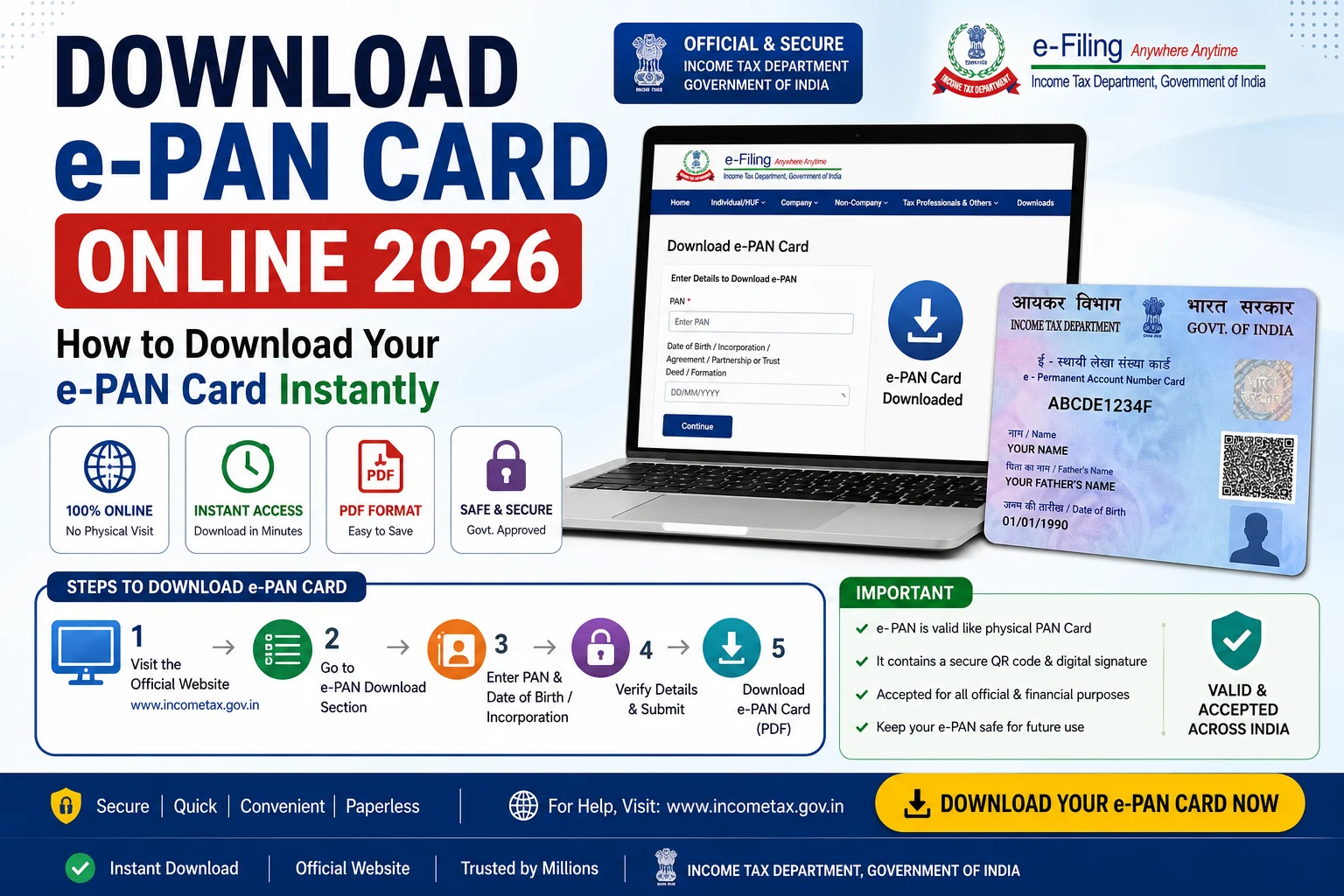
Method 1: Download e-PAN from the Income Tax e-Filing Portal
If you obtained an Instant e-PAN, follow these steps:
Step 1: Visit the Income Tax e-Filing Portal
Open the official Income Tax e-Filing website.
Step 2: Click “Instant e-PAN”
Select the Instant e-PAN option under Quick Links.
Step 3: Choose “Check Status / Download e-PAN”
Click on the download option.
Step 4: Enter Aadhaar Number
Provide your Aadhaar Number and continue.
Step 5: Verify OTP
Enter the OTP sent to your Aadhaar-linked mobile number.
Step 6: Download e-PAN
After successful verification, your e-PAN PDF will be available for download.
Method 2: Download e-PAN from Protean (NSDL)
If your PAN was issued through Protean, follow these steps:
Step 1
Visit the official Protean e-PAN download portal.
Step 2
Enter:
- PAN Number or Acknowledgement Number
- Date of Birth
- GSTIN (if applicable)
Step 3
Complete OTP verification.
Step 4
Pay the applicable fee if required.
Step 5
Download your e-PAN PDF. Applicants can generally download the e-PAN free within the initial validity period after allotment, while later downloads may attract a nominal fee.
Method 3: Download e-PAN from UTIITSL
Applicants who applied through UTIITSL can also download their e-PAN.
The process includes:
- Visiting the official UTIITSL portal.
- Entering PAN details.
- Verifying OTP.
- Downloading the e-PAN after successful verification.
Password to Open e-PAN PDF
After downloading the PDF, you will be asked to enter a password.
Generally, the password is:
Your Date of Birth or Date of Incorporation in DDMMYYYY format.
For example:
- Date of Birth: 15 August 1995
- Password: 15081995
Charges for Downloading e-PAN
The applicable charges depend on how and when you download the e-PAN.
- Instant e-PAN from the Income Tax e-Filing Portal is available without charge for eligible users.
- Downloads through Protean may be free for a limited period after PAN allotment. After that, a nominal fee (currently around ₹8.26, including taxes) may apply for email delivery.
What Should You Do If You Cannot Download Your e-PAN?
If the download fails:
- Verify your PAN or Aadhaar details.
- Check whether your mobile number is registered.
- Ensure you enter the correct OTP.
- Try again after some time if the server is busy.
- Contact the concerned PAN service provider if the issue continues.
Benefits of e-PAN
Using an e-PAN provides several advantages.
- Legally valid digital PAN.
- Quick download anytime.
- Easy sharing for KYC.
- Accepted by banks and financial institutions.
- Secure digital format.
- Convenient backup if the physical PAN is lost.
Important Tips Before Downloading
Follow these suggestions for a smooth experience.
- Use only official government-authorized portals.
- Keep your registered mobile number active.
- Save the downloaded PDF securely.
- Do not share OTP with anyone.
- Beware of fake emails or websites asking you to download your e-PAN. The Income Tax Department has warned users about phishing emails related to e-PAN downloads.
Frequently Asked Questions (FAQs)
Can I download my e-PAN online?
Yes. You can download your e-PAN through the Income Tax e-Filing Portal, Protean, or UTIITSL, depending on how your PAN was issued.
Is the e-PAN legally valid?
Yes. The e-PAN issued by the Income Tax Department is legally valid and can be used for most official and financial purposes.
What is the password for the e-PAN PDF?
Generally, the password is your Date of Birth (DDMMYYYY) or Date of Incorporation in the same format.
Can I download my e-PAN using Aadhaar?
Yes. If you have obtained an Instant e-PAN, you can download it using your Aadhaar number and OTP verification.
Is there any fee for downloading an e-PAN?
The Instant e-PAN service is free for eligible users. Protean may charge a nominal fee for downloads after the free period following PAN allotment.
Conclusion
The Download e-PAN Card Online 2026 facility allows PAN holders to access their digital PAN quickly and securely without waiting for a physical card. Whether your PAN was issued through the Income Tax Department, Protean, or UTIITSL, you can download the e-PAN in just a few minutes by completing OTP verification. Moreover, the digitally signed e-PAN is widely accepted for tax filing, banking, KYC, and other financial services. Always download your e-PAN only from official government-authorized portals and stay alert to phishing emails or fake websites.