Aadhaar Address Change Online 2026 Made Easy
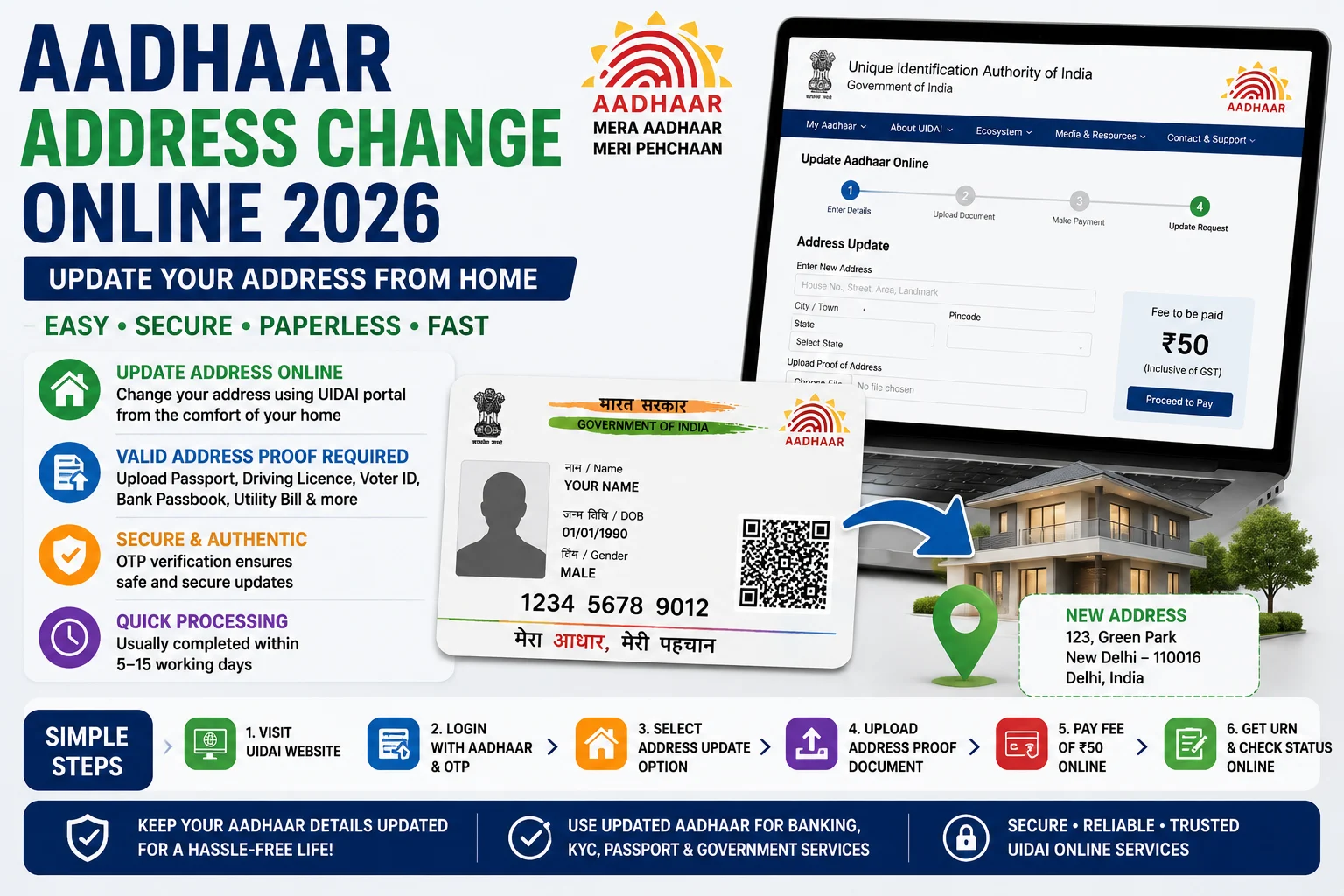
Aadhaar Address Change Online 2026 allows Aadhaar holders to update their residential address quickly through the official UIDAI portal. Keeping your Aadhaar address up to date is important for accessing government schemes, banking services, income tax filing, passport applications, and various KYC-related services. If you have recently moved to a new residence, you can update your address online without visiting an Aadhaar Seva Kendra, provided your mobile number is linked with Aadhaar.
Moreover, the UIDAI online address update service is secure, paperless, and easy to use. Therefore, eligible residents can complete the entire process from home using OTP verification.
What is Aadhaar Address Update?
An Aadhaar Address Update allows residents to modify the address printed on their Aadhaar card. The updated address is reflected in both the digital e-Aadhaar and the physical Aadhaar record maintained by UIDAI.
Furthermore, an updated Aadhaar address helps ensure smooth access to banking, insurance, government welfare schemes, and identity verification services.
Aadhaar Address Change Online 2026: Overview
| Particular | Details |
|---|---|
| Service Name | Aadhaar Address Update |
| Issued By | Unique Identification Authority of India (UIDAI) |
| Mode of Update | Online & Aadhaar Seva Kendra |
| Update Fee | ₹50 |
| Authentication | OTP Verification |
| Processing Time | Usually 5–15 Working Days |
| Official Authority | UIDAI |
Eligibility Criteria
You can apply for an Aadhaar address update if:
- You have a valid Aadhaar Number.
- Your mobile number is linked with Aadhaar.
- You have valid Proof of Address (PoA).
- You have shifted to a new residential address.
Additionally, residents without a registered mobile number can visit the nearest Aadhaar Seva Kendra to update their address.
Documents Required
Keep the following documents ready before applying:
- Aadhaar Number.
- Registered Mobile Number.
- Valid Address Proof.
Accepted address proof documents include:
- Passport.
- Driving Licence.
- Voter ID.
- Bank Passbook.
- Electricity Bill.
- Water Bill.
- Gas Connection Bill.
- Property Tax Receipt.
- Government-issued Address Certificate.
Therefore, ensure that the address proof clearly matches the address you wish to update.
How to Change Aadhaar Address Online 2026
Follow these simple steps:
- Visit the official UIDAI website.
- Click on Login.
- Enter your Aadhaar Number.
- Verify using the OTP sent to your registered mobile number.
- Select Update Aadhaar Online.
- Choose Address Update.
- Enter your new address carefully.
- Upload a valid Proof of Address document.
- Pay the update fee of ₹50 online.
- Submit the application.
After successful submission, you will receive an Update Request Number (URN) for tracking your application.
Aadhaar Address Update Fee
UIDAI charges a nominal fee of:
₹50 per update request
The fee includes:
- Online application processing.
- Verification.
- Aadhaar record update.
Additionally, the fee is non-refundable after successful submission.
How to Check Aadhaar Address Update Status
After submitting your request:
- Visit the UIDAI portal.
- Click on Check Aadhaar Update Status.
- Enter your Update Request Number (URN).
- Enter the captcha code.
- Click Check Status.
The portal will display the latest application status, including whether the request is under verification, approved, or completed.
Benefits of Updating Aadhaar Address
Updating your Aadhaar address provides several advantages:
- Correct address in UIDAI records.
- Smooth banking and KYC verification.
- Easy access to government schemes.
- Hassle-free passport and PAN applications.
- Accurate identity proof.
- Faster document verification.
Consequently, keeping your Aadhaar address updated helps avoid delays in financial and government services.
Common Reasons for Address Update Rejection
Your application may be rejected due to:
- Blurred or invalid address proof.
- Incorrect address details.
- Mismatch between uploaded document and entered address.
- Poor document quality.
- Incomplete application.
Therefore, applicants should carefully review all information before submitting the request.
How to Download Updated Aadhaar
Once your request is approved:
- Visit the UIDAI website.
- Click on Download Aadhaar.
- Enter your Aadhaar Number.
- Verify using OTP.
- Download your updated e-Aadhaar PDF.
You can also order a new Aadhaar PVC Card with the updated address.
Conclusion
Aadhaar Address Change Online 2026 is a simple and secure service that enables residents to update their address through the official UIDAI portal. With OTP-based authentication, online document upload, and quick processing, applicants can complete the update process without visiting an Aadhaar centre in most cases. Keeping your Aadhaar address updated ensures smooth access to banking, government services, and identity verification whenever required.
Also Read:NCS Registration Online 2026: Apply Online, Eligibility & Complete Registration Process