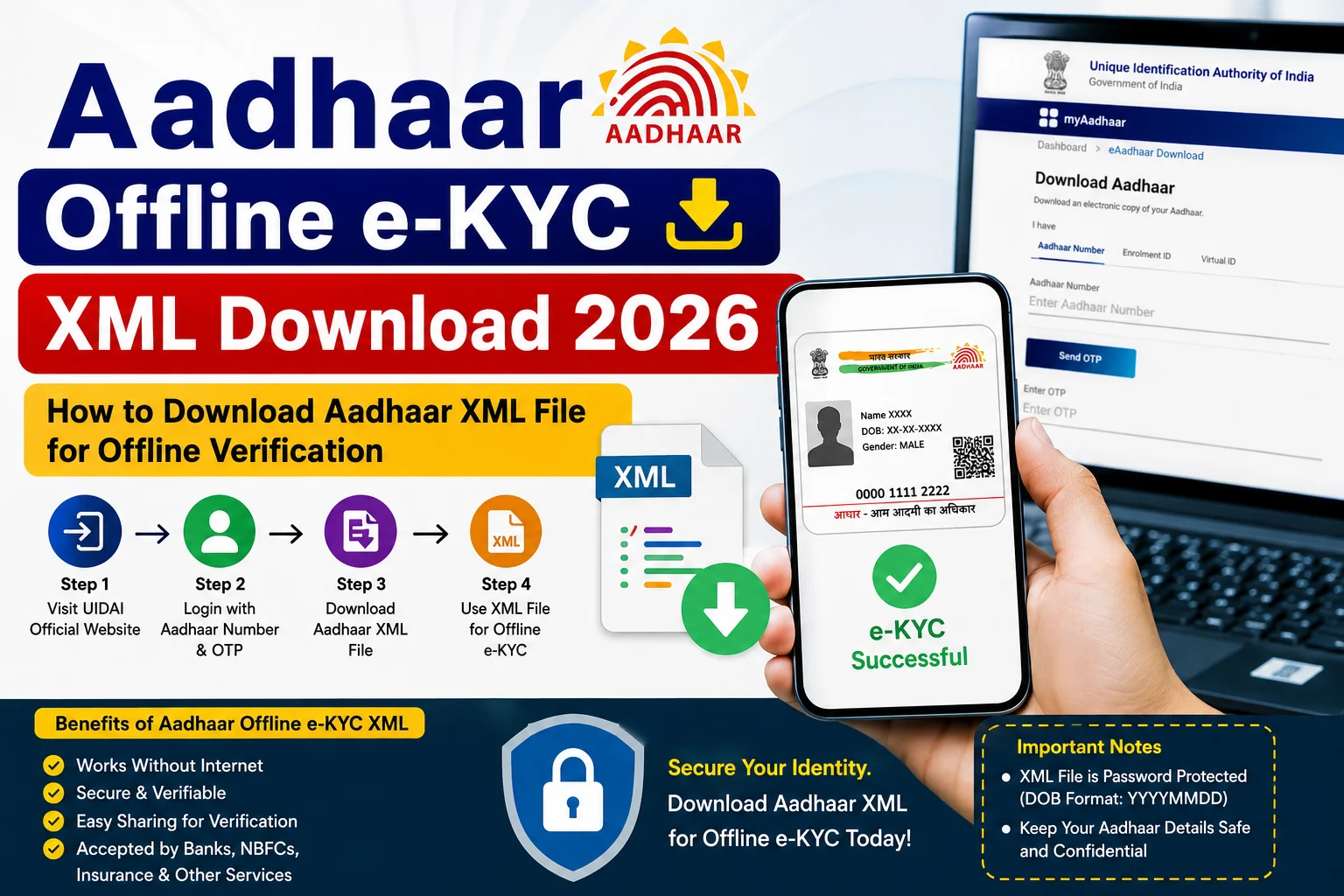
The Aadhaar Offline e-KYC XML is a secure, digitally signed identity document provided by the Unique Identification Authority of India (UIDAI). It allows Aadhaar holders to share their identity details with service providers without revealing their full Aadhaar number or using biometric authentication. The XML file is encrypted, privacy-friendly, and widely accepted for offline identity verification by organizations that support UIDAI’s Offline e-KYC system.
In 2026, downloading the Aadhaar Offline e-KYC XML has become quick and convenient through the myAadhaar Portal and the mAadhaar App. Users simply need their Aadhaar Number or Virtual ID (VID), access to the registered mobile number for OTP verification, and a self-created Share Code to download the encrypted ZIP file containing the XML.
This guide explains everything about Aadhaar Offline e-KYC XML Download 2026, including eligibility, required details, download process, benefits, security features, and frequently asked questions.
What is Aadhaar Offline e-KYC XML?
Aadhaar Offline e-KYC XML is a digitally signed XML file issued by UIDAI that enables secure offline identity verification. Unlike online Aadhaar authentication, it does not require OTP, biometric authentication, or sharing your full Aadhaar number with the verifying agency. Instead, it contains a Reference ID and selected demographic information chosen by the Aadhaar holder.
Benefits of Aadhaar Offline e-KYC XML
Using Offline e-KYC offers several advantages.
- No need to share your full Aadhaar Number.
- No biometric authentication required.
- Secure digitally signed XML file.
- Password-protected ZIP file.
- Accepted by many banks, financial institutions, telecom operators, and other service providers.
- Better privacy protection.
- Easy to download and share.
- Reduces the risk of Aadhaar misuse.
Who Can Download Aadhaar Offline e-KYC XML?
You can download the XML file if you:
- Have a valid Aadhaar Number or Virtual ID (VID).
- Have a mobile number registered with Aadhaar.
- Can receive OTP on your registered mobile number.
Information Included in the XML File
The Offline e-KYC XML generally contains:
- Name
- Photograph
- Gender
- Date of Birth or Year of Birth
- Address
- Reference ID
- Hashed Mobile Number
- Hashed Email Address
The file does not reveal your complete Aadhaar Number, enhancing your privacy.
Details Required to Download Aadhaar Offline e-KYC XML
Before downloading, keep the following ready:
- Aadhaar Number or Virtual ID (VID)
- Registered Mobile Number
- OTP
- Share Code (chosen by you)
How to Download Aadhaar Offline e-KYC XML 2026
Follow these simple steps.
Step 1: Visit the myAadhaar Portal
Open the official myAadhaar portal and select Offline e-KYC.
Step 2: Enter Aadhaar Number or VID
Provide either:
- Aadhaar Number, or
- Virtual ID (VID)
Step 3: Enter Security Captcha
Type the security code displayed on the screen.
Step 4: Click “Send OTP”
An OTP will be sent to your registered mobile number.
Step 5: Enter OTP
Enter the OTP received on your registered mobile number.
Step 6: Create a Share Code
Create your own Share Code.
This Share Code acts as the password for opening the downloaded ZIP file.
Step 7: Click “Download”
The encrypted ZIP file containing the digitally signed Aadhaar Offline e-KYC XML will be downloaded to your device.
How to Download Using the mAadhaar App
You can also download the XML using the official mAadhaar App.
Steps include:
- Log in to the app.
- Select Offline e-KYC.
- Verify using OTP.
- Create a Share Code.
- Download the ZIP file.
What is the Share Code?
The Share Code is a password created by you while downloading the XML file.
It is required to:
- Open the downloaded ZIP file.
- Allow the verifying agency to access the encrypted XML.
Always share the Share Code only with the organization requesting your Offline e-KYC.
How to Share Aadhaar Offline e-KYC XML
You can share the downloaded ZIP file:
- By email.
- Through secure online upload.
- Via mobile.
- Using other digital methods accepted by the service provider.
Remember to provide the Share Code separately to the authorized verifier.
Security Features
The Offline e-KYC XML provides strong security.
It offers:
- Digital signature verification.
- Password-protected ZIP.
- Encrypted data.
- Hidden Aadhaar Number.
- Hashed mobile number.
- Hashed email address.
- Tamper detection.
These features make Offline e-KYC safer than sharing photocopies of Aadhaar in many situations.
Common Download Problems
You may face issues due to:
- Mobile number not registered with Aadhaar.
- Incorrect OTP.
- Wrong Aadhaar Number or VID.
- Incorrect Share Code while opening the ZIP.
- Temporary server issues.
If the problem continues, try again later or use the mAadhaar App.
Important Tips
Before downloading:
- Use only the official UIDAI portal.
- Keep your registered mobile number active.
- Create a strong Share Code.
- Never share your OTP.
- Share the ZIP file only with trusted organizations.
- Keep your downloaded XML secure.
Frequently Asked Questions (FAQs)
What is Aadhaar Offline e-KYC XML?
It is a digitally signed XML file issued by UIDAI that allows secure offline identity verification without revealing your full Aadhaar Number.
Can I download the XML without a registered mobile number?
No. OTP verification requires a mobile number registered with Aadhaar.
What is the Share Code?
The Share Code is the password you create while downloading the XML ZIP file. It is required to open the file and verify your Offline e-KYC.
Is Aadhaar Offline e-KYC secure?
Yes. The XML file is digitally signed, encrypted, and password protected. It also hides your full Aadhaar Number for better privacy.
Can I use Offline e-KYC for bank verification?
Yes. Many banks, telecom companies, and other organizations that support UIDAI Offline e-KYC accept the XML file for identity verification. The accepting organization must support UIDAI’s Offline Verification process.
Conclusion
The Aadhaar Offline e-KYC XML Download 2026 facility offers a secure, privacy-focused, and convenient way to share your identity without exposing your Aadhaar Number or biometric information. By downloading the digitally signed XML from the official myAadhaar Portal or mAadhaar App, you can complete offline verification quickly while maintaining control over your personal information. Always use the official UIDAI platform, protect your Share Code, and share the XML file only with trusted organizations.
Read More:Income Certificate Apply Online 2026: How to Apply, Eligibility, Documents, Fees & Status Check