A Registration Certificate (RC) is one of the most important documents for every vehicle owner in India. Issued by the Regional Transport Office (RTO), the RC serves as legal proof that your vehicle is registered under the Motor Vehicles Act. Whether you own a car, bike, scooter, or commercial vehicle, carrying a valid RC is mandatory while driving.
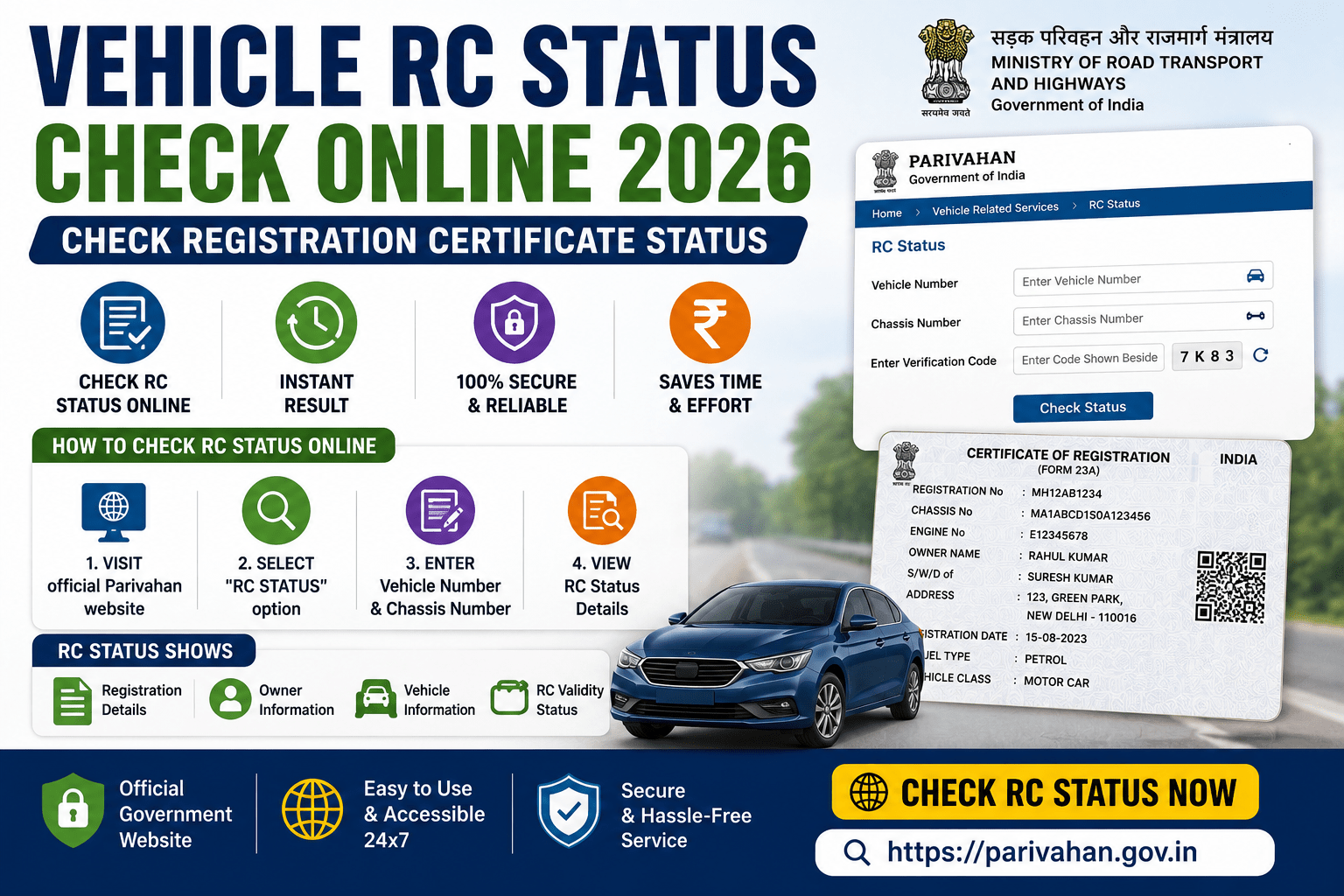
The Ministry of Road Transport and Highways (MoRTH) allows vehicle owners to check their Vehicle RC Status online through the Parivahan Sewa Portal and VAHAN Portal. This online facility enables users to verify their RC status, application status, ownership details, registration validity, insurance information, fitness certificate, and other important vehicle details without visiting the RTO.
This guide explains everything about Vehicle RC Status Check Online 2026, including eligibility, required details, step-by-step process, information available, benefits, and frequently asked questions.
What is a Vehicle Registration Certificate (RC)?
A Registration Certificate (RC) is an official document issued by the Regional Transport Office (RTO) after the registration of a vehicle. It contains important details such as the owner’s name, vehicle registration number, chassis number, engine number, fuel type, registration date, insurance details, and validity period. The RC proves that the vehicle is legally registered and permitted to be driven on Indian roads.
Why Should You Check Your RC Status?
Checking your RC status helps you:
- Verify whether your vehicle is legally registered.
- Track the status of a new RC application.
- Confirm RC renewal status.
- Verify ownership details before purchasing a used vehicle.
- Check insurance and registration validity.
- Monitor vehicle-related information online.
Who Can Check Vehicle RC Status?
The online RC status service is available for:
- Vehicle owners.
- Buyers of used vehicles.
- Car dealers.
- Insurance companies.
- Financial institutions.
- Anyone who needs basic vehicle registration information through the official portal.
Information Required
Before checking your RC status, keep the following details ready:
- Vehicle Registration Number (Registration Plate Number)
Some services may also require:
- Application Number (for pending RC applications)
- Captcha verification
How to Check Vehicle RC Status Online 2026
Step 1: Visit the Official Parivahan Portal
Open the official Parivahan Sewa or VAHAN portal.
Step 2: Select “Know Your Vehicle Details”
Click on the Know Your Vehicle Details service available under Vehicle Related Services.
Step 3: Enter Vehicle Registration Number
Enter your complete vehicle registration number exactly as it appears on your RC.
Step 4: Complete Verification
Enter the captcha code or complete the required verification process.
Step 5: Click Search
Click on Search or View Details.
Step 6: View RC Status
Your vehicle registration details and RC status will be displayed on the screen.
How to Check RC Application Status
If you have recently applied for:
- New RC
- Duplicate RC
- RC Renewal
- RC Transfer
- Change of Address
Follow these steps:
- Visit the VAHAN Application Status portal.
- Click Know Your Application Status.
- Enter your Application Number.
- Enter your Vehicle Registration Number.
- Complete the captcha verification.
- Click Submit to view your application status.
Information Available in RC Status
After checking your RC, you may see:
- Owner Name (partially masked in public services)
- Vehicle Registration Number
- Vehicle Class
- Vehicle Manufacturer
- Vehicle Model
- Fuel Type
- Registration Date
- Registration Validity
- Chassis Number (partially masked)
- Engine Number (partially masked)
- Insurance Validity
- Pollution Under Control (PUC) Status
- Fitness Certificate Status (where applicable)
- Hypothecation Details (if financed)
- RTO Name
Other Ways to Check Vehicle RC Status
Apart from the Parivahan website, you can also check your RC details through:
- mParivahan App
- DigiLocker (for digital RC)
- State Transport Department portals (where available)
Benefits of Checking RC Status Online
Checking your RC status online offers several advantages:
- Available 24×7.
- No need to visit the RTO.
- Instant access to vehicle details.
- Easy verification before buying a used vehicle.
- Helps track pending RC applications.
- Improves transparency in vehicle registration services.
Common Reasons Why RC Status May Not Be Available
You may not see your RC details due to:
- Incorrect vehicle registration number.
- Recently registered vehicle not yet updated in the database.
- Pending application processing.
- Temporary server maintenance.
- State database synchronization delays.
Important Tips
Before checking your RC status:
- Enter the vehicle number correctly.
- Use only the official Parivahan or VAHAN portal.
- Keep your application number safe if tracking an application.
- Verify RC details immediately after receiving your new RC.
- Report incorrect information to your concerned RTO.
Frequently Asked Questions (FAQs)
Can I check my Vehicle RC Status online?
Yes. You can check your RC status through the official Parivahan Sewa or VAHAN portal.
Is checking RC status free?
Yes. The online RC status checking service is available free of charge.
Can I check RC status using only my vehicle number?
Yes. You can view basic vehicle registration details using your vehicle registration number.
Can I track my RC application online?
Yes. You can check the status of your RC application using the Application Number on the VAHAN portal.
Can I download a digital RC?
Yes. Eligible vehicle owners can access a digital Registration Certificate through DigiLocker or the mParivahan app.
Conclusion
The Vehicle RC Status Check Online 2026 service makes it easy for vehicle owners to verify registration details, monitor RC applications, and access important vehicle information from anywhere. By using the official Parivahan Sewa or VAHAN portal, you can quickly confirm your vehicle’s registration status and ensure that your records remain accurate and up to date.
Read More:How to reprint Lost PAN Card online or apply for a Duplicate PAN Card Easily